

In Dec. 2026, Swisscom is replacing the billing files “Invoice Reporting” with new files called “Billing & Analytics Nova”
If you use these files for your accounting, reporting or other purpose, you must adapt your application(s) because the new files have different structure & content.
Our product RDSconverter can help for a smooth transition, providing you with the new files before migration, or with the old files after migration. This gives you more flexibility and time to adapt your application and switch when best for you.

YOUR PROCESS USES THE RAW DATA FILES ?
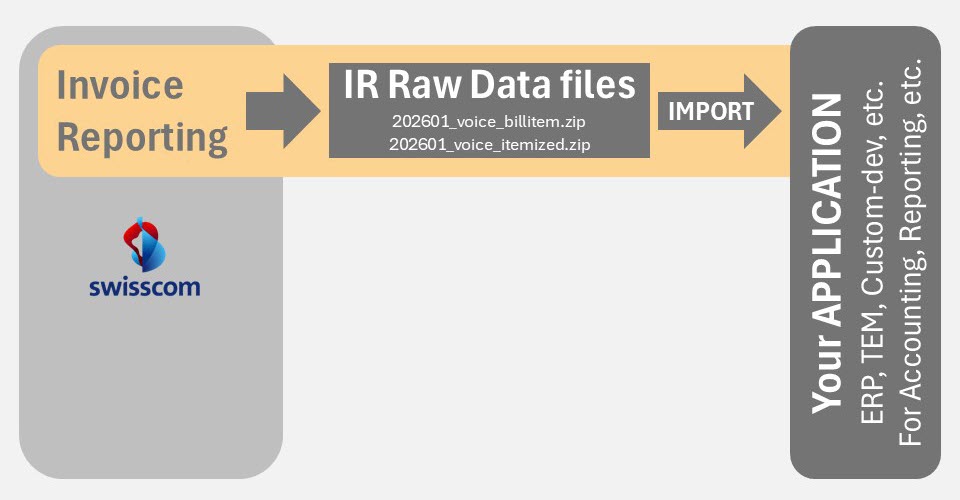
Your application for Accounting, Reporting, etc. imports the Raw Data files from Invoice Reporting
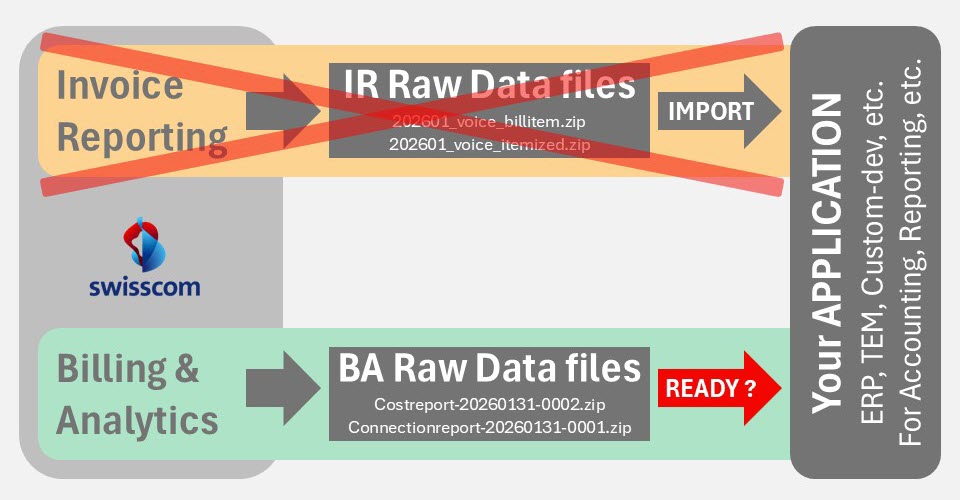
WHEN YOU MIGRATE, FILES WILL CHANGE !
Your application must be adapted because new files are different and old files won’t be available
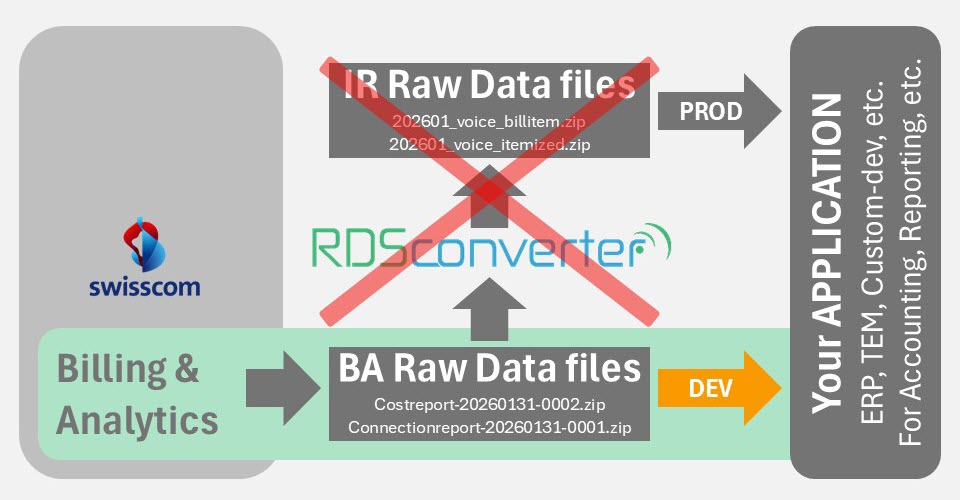
RDSconverter HELPS BEFORE MIGRATION
You see how your new files will look like and you can start ASAP to adapt your application
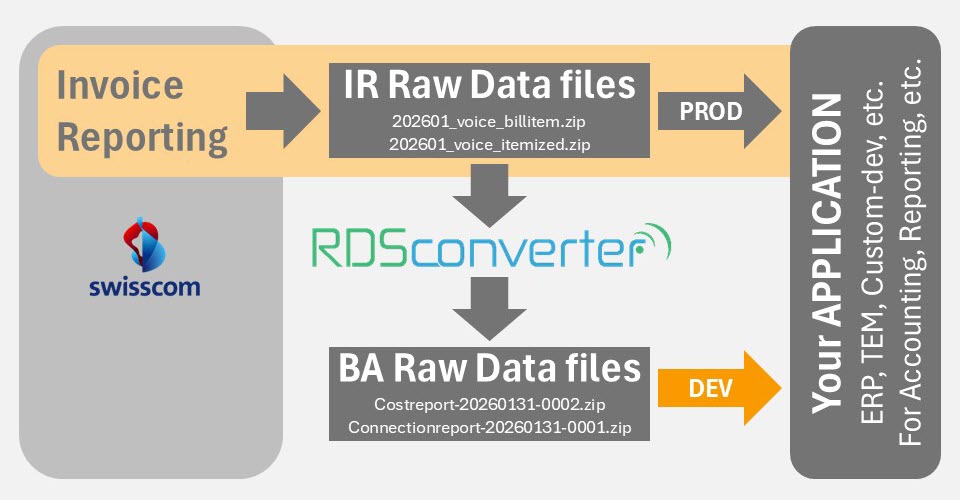
Together with the Technical Documentation, this can give you a better idea of the new files and the work needed to adapt your application. RDSconverter takes your “old” files and generates the “new” files with the same content but the new structure. When developping your application, you can compare the new output to ensure it matches the current output produced by the “old” application. This is far better than using just sample data for the development.
RDSconverter HELPS AFTER MIGRATION
If you need more time to adapt your application you can continue with the old files .
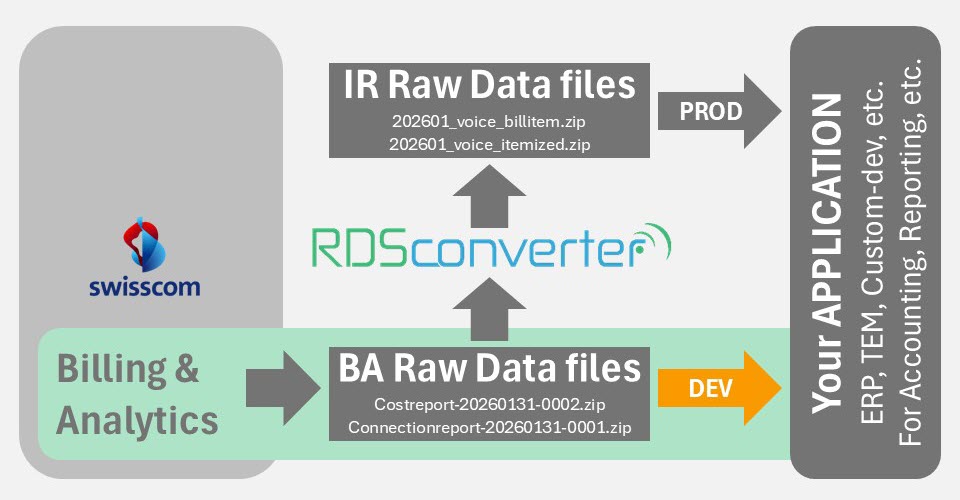
From the moment you get migrated, you will receive the new files only. With RDSconverter, you can continue using your old application in case you need more time for your development or if you experience any problem with the new files provided by Swisscom.
YOU DECIDE WHEN TO SWITCH
When ready, just switch and the process works like before, with original files from Swisscom
TECHNICAL DOCUMENTATION
To request that document or if you have any question, you can contact Swisscom at support.billinganalytics@swisscom.com
Swisscom is migrating all customers in phases
You will be informed few months in advance when the migration will occur for your company.
Before the migration, you get only the “old” files (from Invoice Reporting). After the migration, you get only the “new” files (from Billing & Analytics). This means your application must be ready to accept the new files when the migration occurs, otherwise this may impact your process (accounting, reporting, etc.).
Since you will not receive a sample of your new files before the migration, this means you must carefully adapt your application and you have no way to test it before the migration. In case it doesn’t work, you can not get the old files to keep going with the old version of your application. This is why we built RDSconverter, a tool which can convert both ways and can help for a smooth transition.